QorusDocs acquires Shark Finesse
Learn moreBook your demo
Please complete the form below and we will contact you to arrange a convenient time to show you how our software can help you.

Oops! Something went wrong while submitting the form.
Please complete the form below and we will contact you to arrange a convenient time to show you how our software can help you.
To edit the benefits within the case, you can select the main slide in the middle of the screen and the side bar will open or you can select the Benefits icon in the left side bar:

Here you can view the benefit included within the business case - total benefits as well as average monthly benefits:
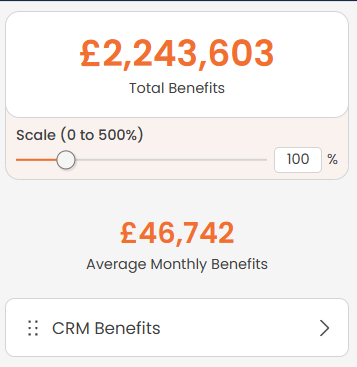
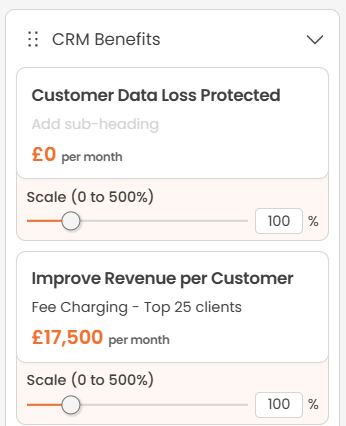
If you want to increase or decrease the benefit number as a whole, you can use the scale slider to adjust, however you can also make changes to the individual benefits, this included separate benefit scale sliders as well as editing titles and subtitles. You can also adjust the order in which the benefits appear. This is all done live and in an interactive way so your customer can visually see the impact of any changes made:


We need to confirm your email address.
To complete the subscription process, please click the link in the email we just sent you.


