QorusDocs acquires Shark Finesse
Learn moreBook your demo
Please complete the form below and we will contact you to arrange a convenient time to show you how our software can help you.

Oops! Something went wrong while submitting the form.
Please complete the form below and we will contact you to arrange a convenient time to show you how our software can help you.
Featured Templates appear on the home screen within ValueHub. These are a curated set of business case templates, giving users quick access to the most relevant options for their customers and prospects.
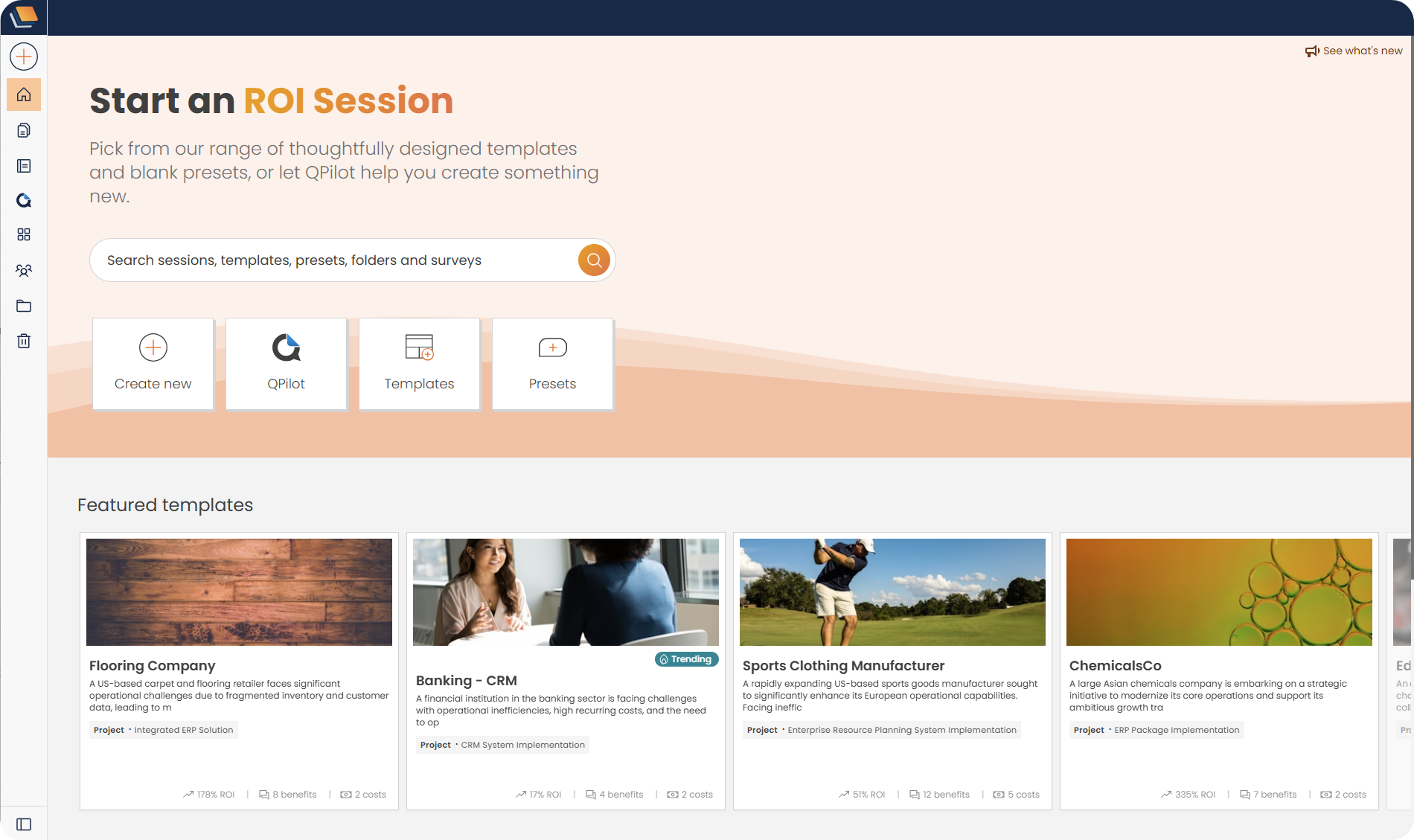
When you hover over the template card, two options will appear Preview and Customise:

When Customise is chosen, the template will be opened in ValueHub ready for you to use with your customer, when Preview is selected the key details of that business case template will appear:

Select Use this case, for the template to be opened in a ValueHub session.
N.B. The templates shown, and the order they appear in, are determined by nominated Admin users.


We need to confirm your email address.
To complete the subscription process, please click the link in the email we just sent you.


