QorusDocs acquires Shark Finesse
Learn moreBook your demo
Please complete the form below and we will contact you to arrange a convenient time to show you how our software can help you.

Oops! Something went wrong while submitting the form.
Please complete the form below and we will contact you to arrange a convenient time to show you how our software can help you.
Here we will highlight what template admin functionality is and what this feature includes. To get started, nominated admin users can access Template Admin via the sidebar:
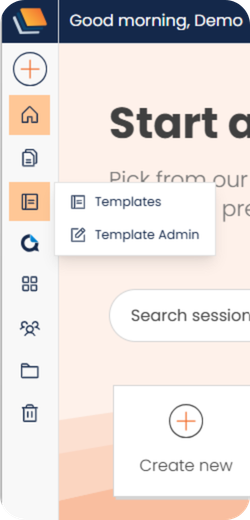
Admin users can publish, unpublish, delete, and update templates directly, without needing assistance from the QorusDocs team:
.png)
N.B. An admin user can update a template without contacting the original template author. However, the template must be in a pending or unpublished state to do so.
Admin users have access to the full history of a template, including status changes, system and user-triggered events, and the date and time each occurred:
.png)
Admin users now have access to usage information for each template, including how many times it has been used, who has used it, and when it was last used:

An admin user can revert a modified template to a previous version if needed. Open a template:
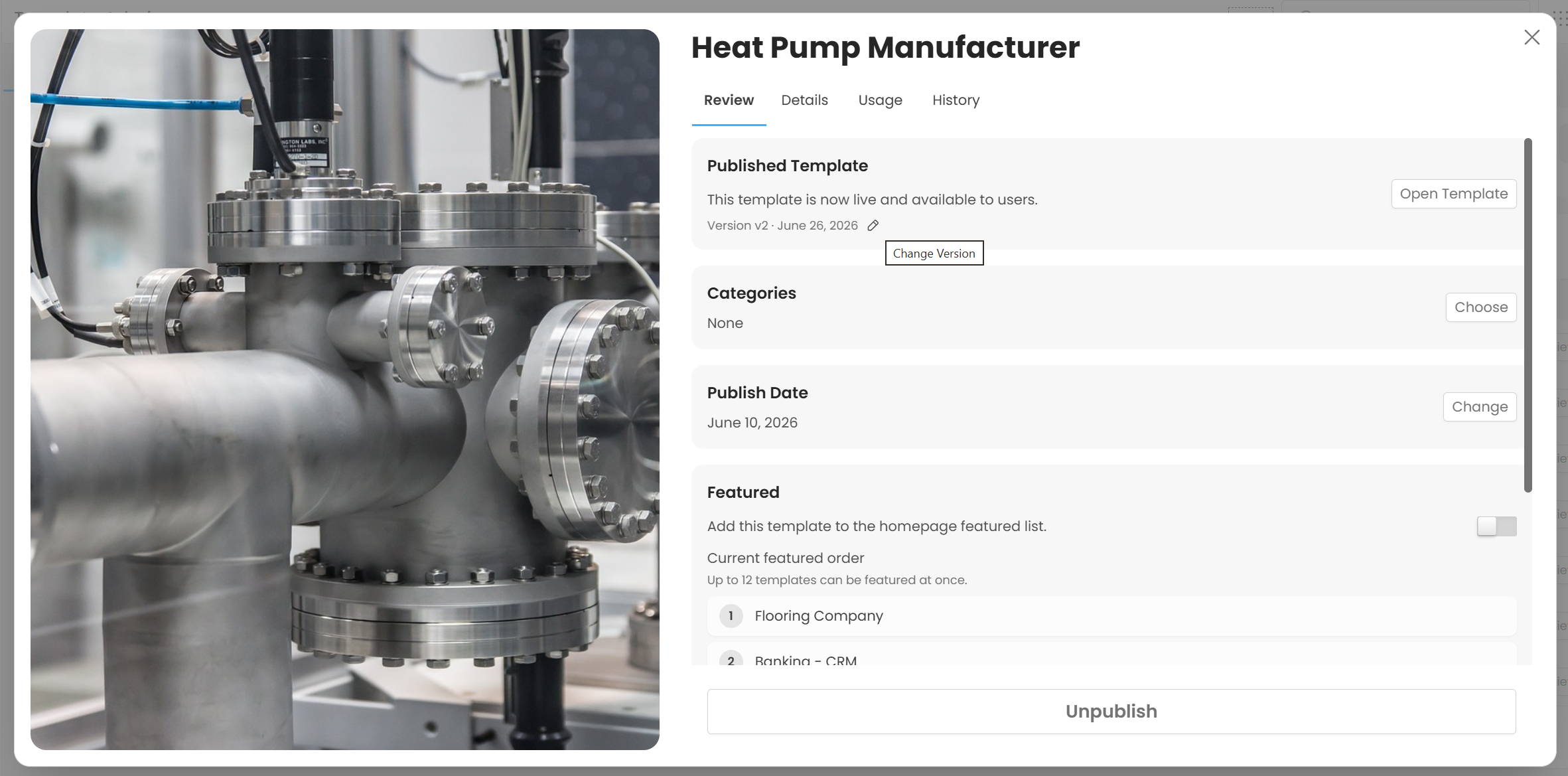
And select the pencil icon :

And choose which version you want to go back to:

For additional Template Admin features, be sure to check out:
Template Admin - Category Management
Template Admin - Template Suggestion and Review
If you would like to know more about Template Admin functionality and how to nominate users within your user community, please reach out to your QorusDocs account manager.


We need to confirm your email address.
To complete the subscription process, please click the link in the email we just sent you.


